How to Match Your Resume to a Job Ad Before Writing a Cover Letter
If you searched for how to match your resume to a job description before writing a cover letter, you probably do not need another generic cover-letter template. You need a way to decide what your resume actually proves before you start writing.
That is the common mistake: opening a blank cover letter before checking the job ad against your resume, profile, portfolio, or project history. The job description shows what the employer is asking for. Your resume shows what you can support. The cover letter should connect those two things.
This guide is not a full resume-tailoring guide. It is the pre-writing matching step that makes the letter easier, more specific, and less likely to overclaim. It is especially useful if you are applying to many white-collar roles and need a repeatable process for each job ad.
To match your resume to a job description before writing a cover letter, highlight the job's most important requirements, find proof from your resume or profile for each one, rate each item as a strong match, partial match, gap, or irrelevant detail, then choose the 2-3 strongest matches to lead the cover letter. Do not include claims you cannot support.
- Pull the role's must-have requirements, responsibilities, tools, and outcomes.
- Match each item to real resume, profile, project, or portfolio evidence.
- Mark each item as strong match, partial match, gap, or not relevant.
- Choose 2-3 strong matches for the cover letter.
- Frame partial matches carefully and briefly.
- Leave unsupported claims out of the letter.
Why Match Your Resume To The Job Description Before Writing The Cover Letter
Your resume holds the evidence. The job description holds the selection criteria. The cover letter should explain the overlap.
If you write first, you are more likely to describe broad strengths: communication, leadership, adaptability, interest in the company. Those may be true, but they are weak until they connect to the role's actual work.
Matching first gives you a sharper filter. It helps you identify the strongest fit points, avoid repeating the whole resume, spot gaps before drafting, keep the resume and letter consistent, and give AI tools better source material.
Indeed's resume-matching guidance recommends starting from a core resume, scanning job postings for relevant keywords, making a truthful list of matching skills, and incorporating relevant phrases into resume sections (Indeed). For a cover letter, the next step is deciding which of those matches deserve narrative space.
| If you write first | If you match first |
|---|---|
| You describe broad strengths. | You choose evidence tied to the role's actual requirements. |
| You may copy job-ad language without proof. | You use only terms your resume or profile can support. |
| You risk a generic AI or template letter. | You give the draft clear, specific inputs. |
| You notice gaps after the letter is written. | You decide how to frame or skip gaps before drafting. |
The goal is not to prove that every line in the posting fits you. The goal is to find the strongest truthful overlap before the letter turns into polished but unsupported claims.
Start With The Job Ad, Not The Cover Letter
Before you draft, scan the job description for 5-8 signals. Do not highlight every sentence. Most job ads mix core responsibilities, hard requirements, nice-to-haves, boilerplate, company values, and repeated phrases.
Your job is to separate what matters from what merely appears in the posting.
Prioritize signals that describe the work: must-have requirements, repeated responsibilities, named tools, systems, frameworks, business outcomes, customer context, industry context, and operational soft skills. A soft skill matters more when the ad makes it concrete, such as stakeholder management, executive communication, client escalation, or cross-functional planning.
Do not treat every keyword as equal. A role that mentions Salesforce five times is different from a role that lists it once in a long nice-to-have section. A posting that says security clearance required is different from one that says security experience preferred.
Also avoid copying vague company flattery into the letter. "I admire your innovative culture" rarely helps unless you connect it to a specific product, customer, team, or problem.
What To Highlight In The Job Description
Highlight required experience, central responsibilities, named tools, methods, domains, business outcomes, success measures, and repeated phrases.
Also mark requirements that appear mandatory or regulated: licenses, certifications, work authorization, language fluency, security clearance, or role-specific legal requirements. A cover letter cannot make those disappear, so they need to be handled honestly.
What To Ignore Or Deprioritize
Deprioritize boilerplate company culture language, generic traits any applicant could claim, long lists of nice-to-have tools, and requirements you cannot truthfully support.
Some unsupported requirements may need to be addressed as gaps. Others should simply stay out of the letter.
| Job-ad signal | Why it matters | Cover-letter priority |
|---|---|---|
| Repeated responsibility | Likely central to the role | High if resume has evidence |
| Named required tool | May affect screening and credibility | High if true; gap if not |
| Nice-to-have tool | Helpful but not central | Medium or skip |
| Generic soft skill | Often weak alone | Use only with concrete example |
| Company mission/value | Context, not proof | Mention only if specific |
Pull The Right Evidence From Your Resume Or Profile
Now work from your existing source material: resume, LinkedIn profile, portfolio, project list, career notes, or stored applicant profile.
Look for evidence, not adjectives. "Strong communicator" is not enough. "Led weekly launch meetings with product, sales, and customer success" gives you something usable. "Data-driven" is weak. "Built a Looker dashboard to track activation by onboarding segment" gives the cover letter a concrete anchor.
Useful evidence can include:
- Relevant roles and responsibilities.
- Achievements and outcomes.
- Metrics, scope, scale, or frequency.
- Tools and systems used.
- Industries, customers, stakeholders, or domains.
- Projects that map to the job's core problems.
- Adjacent experience for partial matches.
Resume.co frames matching a resume or CV to a job description as highlighting relevant skills and experience, then updating resume sections around the most important job-description signals (Resume.co). For this workflow, you are not rewriting the whole resume. You are deciding which evidence can safely shape the cover letter.
Evidence can be imperfect. It does not have to match the job ad word for word. But it must be true.
Evidence That Belongs In A Cover Letter
Use evidence that explains fit for this role. That usually means a specific project, achievement, tool, method, stakeholder group, customer type, domain, or adjacent experience that maps to the job's core work.
A cover letter is useful when it adds interpretation the resume cannot easily show. For example, the resume might say you managed onboarding campaigns. The letter can explain that the role's focus on activation matches your experience improving trial-user education.
Evidence That Should Usually Stay In The Resume
Do not move every resume detail into the letter. Long task lists, old responsibilities, unrelated projects, every tool you have ever touched, metrics without context, and routine education details usually belong in the resume only.
| Resume detail | Use in cover letter? | Reason |
|---|---|---|
| Recent project tied to a central job responsibility | Yes | It explains role fit quickly |
| Metric connected to the job's expected outcome | Yes, if accurate | It gives the claim weight |
| Long list of daily tasks | Usually no | It repeats the resume without adding judgment |
| Old unrelated role | Usually no | It distracts from current fit |
| Education detail | Only if relevant | Use when required or directly tied to the role |
Build A Resume-To-Job-Ad Matching Table
The resume-to-job-ad matching table is the core step. Build it before writing the cover letter manually, with ChatGPT, or with a purpose-built tool.
The table makes five decisions visible:
- Job-ad requirement or signal: What the posting asks for.
- Resume/profile evidence: What you can truthfully support.
- Fit level: Strong match, partial match, gap, or not relevant.
- Cover-letter use decision: Lead with it, use as support, frame carefully, keep in resume only, skip, or do not claim.
- Claim-risk note: What must not be exaggerated.
This matters because many weak cover letters fail before the writing starts. They choose the wrong evidence, overuse job-ad language, or let AI turn a partial match into a direct claim.
The Matching Table Template
| Job-ad requirement or signal | Resume/profile evidence | Fit level | Cover-letter use decision | Claim-risk note |
|---|---|---|---|---|
| Requirement from the job ad | True evidence from your resume/profile | Strong match / partial match / gap / not relevant | Lead / support / frame carefully / resume only / skip / do not claim | What the writer must not exaggerate |
Use one row per important job-ad signal. You do not need to map the entire posting. For most applications, 5-8 rows are enough.
If a row has no evidence, mark it as a gap. Do not let the job ad supply the fact for you. If a row has adjacent evidence, mark it as a partial match and write the claim-risk note before drafting.
Example: Turning The Table Into Cover-Letter Talking Points
Illustrative composite scenario, not a real job ad, applicant profile, recruiter review, product test, or user result.
Role: Lifecycle Marketing Manager for a B2B SaaS company.
| Job-ad requirement or signal | Resume/profile evidence | Fit level | Cover-letter use decision | Claim-risk note |
|---|---|---|---|---|
| Own onboarding and activation campaigns | Led a 6-email onboarding sequence for B2B SaaS trial users and tracked activation by segment | Strong match | Lead with it | Do not imply ownership of all lifecycle strategy if the project was onboarding-specific |
| Partner with product and customer success | Worked with product and CS on launch messaging and trial-user FAQs | Strong match | Use as support | Do not exaggerate into formal people management |
| Use HubSpot and Customer.io | Used HubSpot weekly; tested one Customer.io segment | Partial match | Frame carefully | Do not claim deep Customer.io administration |
| Cybersecurity domain experience preferred | No cybersecurity experience; some B2B SaaS experience | Gap | Skip | Do not invent domain familiarity |
| Manage paid acquisition budget | Supported campaign reporting, but did not own paid budget | Not relevant | Keep in resume only or skip | Do not imply budget ownership |
The table does not become the cover letter. It becomes the talking-point shortlist.
Possible cover-letter talking points:
- Lead with onboarding and activation work because it matches a central responsibility and has real evidence.
- Support that point with cross-functional work with product and customer success.
- Mention HubSpot confidently and Customer.io carefully, without implying deep ownership.
- Skip cybersecurity and paid-budget claims because they would distract or overstate fit.
That is enough. A strong cover letter is selective.
Decide What Goes In The Cover Letter
The cover letter should not summarize every match. Choose the 2-3 strongest talking points and leave the rest in the resume.
Prioritize evidence that matches a central job requirement, is credible from your resume or profile, adds context the resume cannot explain well, or helps frame a partial fit without sounding defensive.
Deprioritize evidence that is already obvious from the resume, weakly related to the role, based only on a keyword match, or dependent on exaggeration.
| Match type | Cover-letter treatment | Example wording direction |
|---|---|---|
| Strong match | Lead with it | Tie specific evidence to the job's core responsibility. |
| Partial match | Frame carefully | Explain adjacent work without claiming direct experience. |
| Gap | Usually skip or briefly address if obvious | Do not apologize; state learning plan only if credible. |
| Resume-only detail | Leave in resume | Do not spend cover-letter space on weak relevance. |
| Unsupported requirement | Do not claim | Never let the job ad supply facts the applicant does not have. |
Lead With Strong Matches
Start the letter around the strongest role-relevant proof. Use specific projects, outcomes, stakeholders, tools, methods, or domains.
A strong match might sound like:
Your posting emphasizes onboarding and activation. In my last B2B SaaS role, I led a 6-email trial onboarding sequence and used activation data to adjust the message order.
That sentence works because the job-ad signal and resume evidence are connected.
Use Partial Matches Carefully
A partial match can still help when it shows adjacent experience. The rule is simple: do not convert adjacent experience into direct experience.
Use language such as related work, adjacent experience, similar project, foundation in, or exposure to.
For example, "I have adjacent experience in lifecycle campaign operations through HubSpot and one Customer.io segmentation test" is safer than "I am experienced in Customer.io lifecycle automation" if the evidence is limited.
For a deeper gap-framing workflow, use the guide on how to address missing qualifications in a cover letter.
Leave Unsupported Claims Out
Do not include tools, credentials, industries, languages, clearances, years of experience, metrics, or management scope you do not have.
This is especially important with AI. A model may infer details from the job ad if your prompt is loose. It might turn "worked with sales" into "led revenue strategy" or "familiar with dashboards" into "built executive BI reporting." Those may sound better, but they create claim risk.
When a requirement is mandatory and unsupported, the cover letter should not pretend otherwise.
Keep The Resume And Cover Letter Consistent
Consistency is a trust issue. The cover letter can add interpretation, but it should not contradict or inflate the resume.
The CV Tailor's cover-letter guidance treats a tailored resume and the job description as inputs that can keep cover-letter positioning focused and consistent (The CV Tailor). That is the right way to think about this step: the letter should explain fit, not create a new version of the applicant.
Check role titles, dates, tools, scope, metrics, and ownership level. If the resume says you "supported" a launch, the letter should not say you "owned" it unless that is also true. If the resume lists one Customer.io project, the letter should not imply years of Customer.io ownership.
Use job-description language naturally only when it matches the evidence. For deeper keyword placement guidance, use the guide on cover letter keywords from a job description.
Consistency audit:
How To Use AI After You Have The Matching Table
Use AI after the matching table, not before it.
The table gives AI safer inputs: the job signal, the applicant evidence, the fit level, the cover-letter decision, and the claim-risk note. That structure reduces the chance that the draft becomes generic or inflated.
Product-led tools are increasingly built around this same sequence. JobSprout, for example, describes a workflow that extracts role details from a job description, tailors CV changes, and generates a matching cover letter from the same role context (JobSprout). That does not change the applicant's responsibility: every final claim still needs review.
Set clear constraints:
- Use only the supplied resume/profile evidence.
- Do not invent achievements, metrics, tools, certifications, company research, or hiring-manager names.
- Flag gaps instead of filling them.
- Keep the draft concise.
- Return a claim audit after the draft.
If you upload a resume, profile, job ad, or personal details into Genwriter or another AI tool, share only what is needed for the application workflow and review the provider's privacy policy. Avoid adding sensitive personal identifiers that are not needed to draft the letter.
Short Prompt To Draft From The Matching Table
Use the resume-to-job-ad matching table below to draft a concise cover letter.

Rules:
- Use only evidence in the table.
- Lead with the strongest 2-3 matches.
- Frame partial matches honestly.
- Do not invent metrics, tools, credentials, company research, or personal details.
- If a requirement is a gap, do not hide it by implying direct experience.
- After the draft, list every claim that should be checked against the resume before sending.

Matching table:
[PASTE TABLE]
For a fuller prompt system, use the ChatGPT cover letter prompt for a resume and job description.
Matched inputs do not automatically create a natural voice. After the factual draft is right, edit for plain language, sentence rhythm, and specificity. The guide on how to make an AI cover letter sound human covers that second pass.
Generate a tailored draft from matched evidence
Genwriter is built around the same source material this workflow uses: your resume or applicant profile, the job ad, and a job-fit analysis that helps separate strong matches, gaps, and framing options before the cover letter is drafted.
You can use Genwriter's cover letter generator to upload a resume, paste the actual job ad, generate a tailored draft, and review the result before sending.
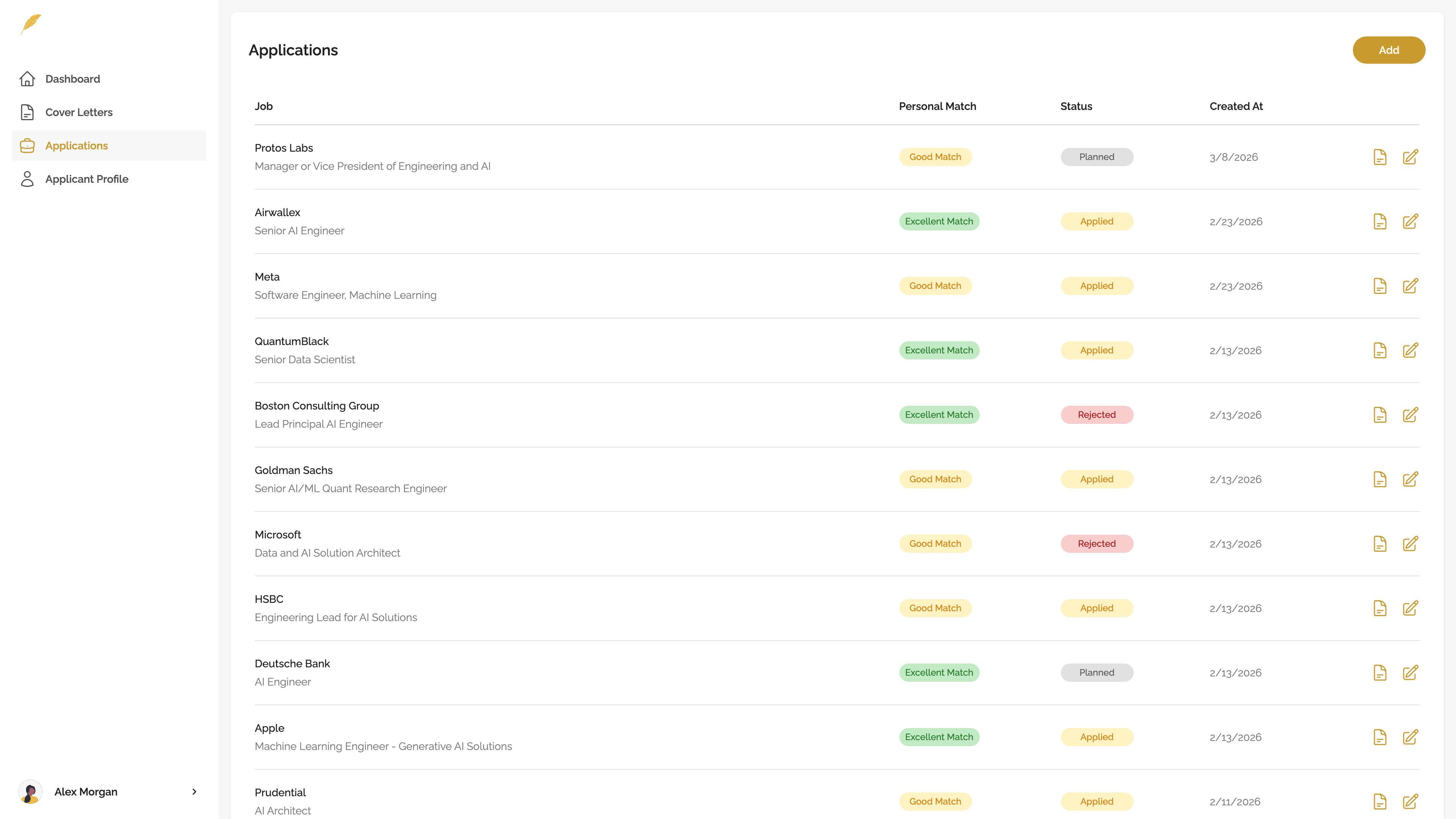
Do not treat any AI draft as auto-send. Use the matching table and the claim audit to decide what stays, what gets softened, and what must be removed.
A 10-Minute Matching Workflow For High-Volume Applications
If you are applying to 20+ roles, not every job ad deserves an hour of customization. Use a time-boxed match instead.
| Time | Step | Output |
|---|---|---|
| 2 minutes | Highlight job-ad signals | 5-8 requirements, responsibilities, tools, outcomes, or context clues |
| 3 minutes | Map resume/profile evidence | True examples, projects, tools, metrics, or adjacent experience |
| 2 minutes | Rate fit and gaps | Strong match, partial match, gap, or not relevant |
| 2 minutes | Choose cover-letter talking points | 2-3 points to lead or support the letter |
| 1 minute | Run claim-safety check | Unsupported claims removed or marked for review |
This workflow is not a full application rewrite. It is a relevance pass. If the job is low priority, the match may be enough to decide whether to apply at all. If the job is high priority, use the table as the foundation for a deeper draft and edit.
For the broader speed workflow, use the guide on how to customize a cover letter quickly.
Common Mistakes When Matching A Resume To A Job Description For A Cover Letter
Most matching mistakes happen because the applicant skips the decision step and starts polishing too early.
| Mistake | Why it weakens the letter | Better move |
|---|---|---|
| Turning the cover letter into a resume summary | The reader gets the same information twice | Choose 2-3 matches and explain why they matter for this role |
| Copying job-description keywords without evidence | The letter sounds tailored but may create false claims | Match each keyword to resume/profile proof before using it |
| Choosing soft skills instead of proof | Generic traits are easy to claim and hard to trust | Use a project, stakeholder situation, tool, outcome, or constraint |
| Ignoring gaps until the draft is written | The letter may overclaim or sound defensive later | Mark gaps in the table before drafting |
| Letting AI invent a better version of the applicant | The draft may include unsupported metrics, tools, or credentials | Require AI to use only supplied evidence and return a claim audit |
| Using the same match points for every job | The letter becomes generic across different roles | Re-run the 5-8 signal scan for each job ad |
The fix is not more elaborate writing. It is better source selection. A simple table can prevent most of these mistakes before the first paragraph exists.
Ready-To-Write Checklist
You are ready to draft when the match is clear enough that the cover letter has a job to do.
Before writing, check:
Once those boxes are checked, move into the writing and editing step. Use the full guide on how to tailor a cover letter to a job description when you are ready to turn the match into a finished letter.
FAQ
Should I tailor my resume before writing the cover letter?
Usually, yes, at least lightly. The cover letter should reflect the version of the resume the employer will see. If the resume emphasizes one set of skills and the cover letter emphasizes another, the application can feel inconsistent. You do not need to rewrite everything, but you should make sure the resume supports the strongest claims the cover letter will make.
How many job-description requirements should I mention in a cover letter?
Usually 2-3 strong matches are enough. More than that often turns the cover letter into a list. Choose requirements that are central to the role, backed by resume or profile evidence, and useful for explaining fit. If a requirement is important but already obvious in the resume, you may not need to spend cover-letter space on it.
What if my resume only partially matches the job description?
Separate must-haves from nice-to-haves first. Lead with your strongest matches, then frame partial matches honestly if they help the reader understand adjacent experience. Do not turn "related work" into direct experience. If the missing item is central, decide whether it needs one careful sentence or whether the application is not a strong use of your time.
Should I use the exact keywords from the job description?
Use exact wording when it is true and natural, especially for tools, certifications, methods, responsibilities, and common role terms. Rephrase when exact wording would exaggerate your experience. If the job ad says Customer.io and you have only used it once, say that carefully or lead with the tool you know better.
Can AI match my resume to a job description and write the cover letter?
AI can help structure the comparison and draft from it, but it cannot know what is true unless you supply accurate source material. Ask it to label strong matches, partial matches, gaps, and unsupported claims before drafting. Then verify every tool, metric, title, credential, date, company detail, and ownership claim before sending.
What should I leave out of the cover letter?
Leave out weakly relevant resume details, unsupported job-ad requirements, generic soft skills, and anything that requires exaggeration. Also skip long tool lists, old unrelated work, and company-value language that could be pasted into any application. The cover letter should use the strongest evidence, not every possible connection.
Is matching my resume to the job ad the same as tailoring my cover letter?
No. Matching is the pre-writing decision step. You compare the job ad with your resume or profile, rate fit, choose evidence, and remove unsupported claims. Tailoring is the writing and editing step that uses those decisions to produce the final letter. Matching first makes tailoring faster and safer.
Match First, Then Write The Cover Letter
The cover letter should come from matched evidence, not from a blank page or copied job-ad language.
Before you write manually, use ChatGPT, or draft with Genwriter, match your resume to the job description for cover letter decisions: what to lead with, what to support, what to frame carefully, and what to leave out.
The best cover letters are specific because they are selective. They do not try to prove every line in the posting. They show the strongest truthful overlap between the job ad and the applicant's real background.
If you want the next step, use the guide on how to tailor a cover letter to a job description, then run a final claim audit before sending.